Once a client sends you an offer, you’ll need to decide if you want to accept it and start working or decline it if it doesn’t fit your expectations. Here’s how to review and decline an offer:
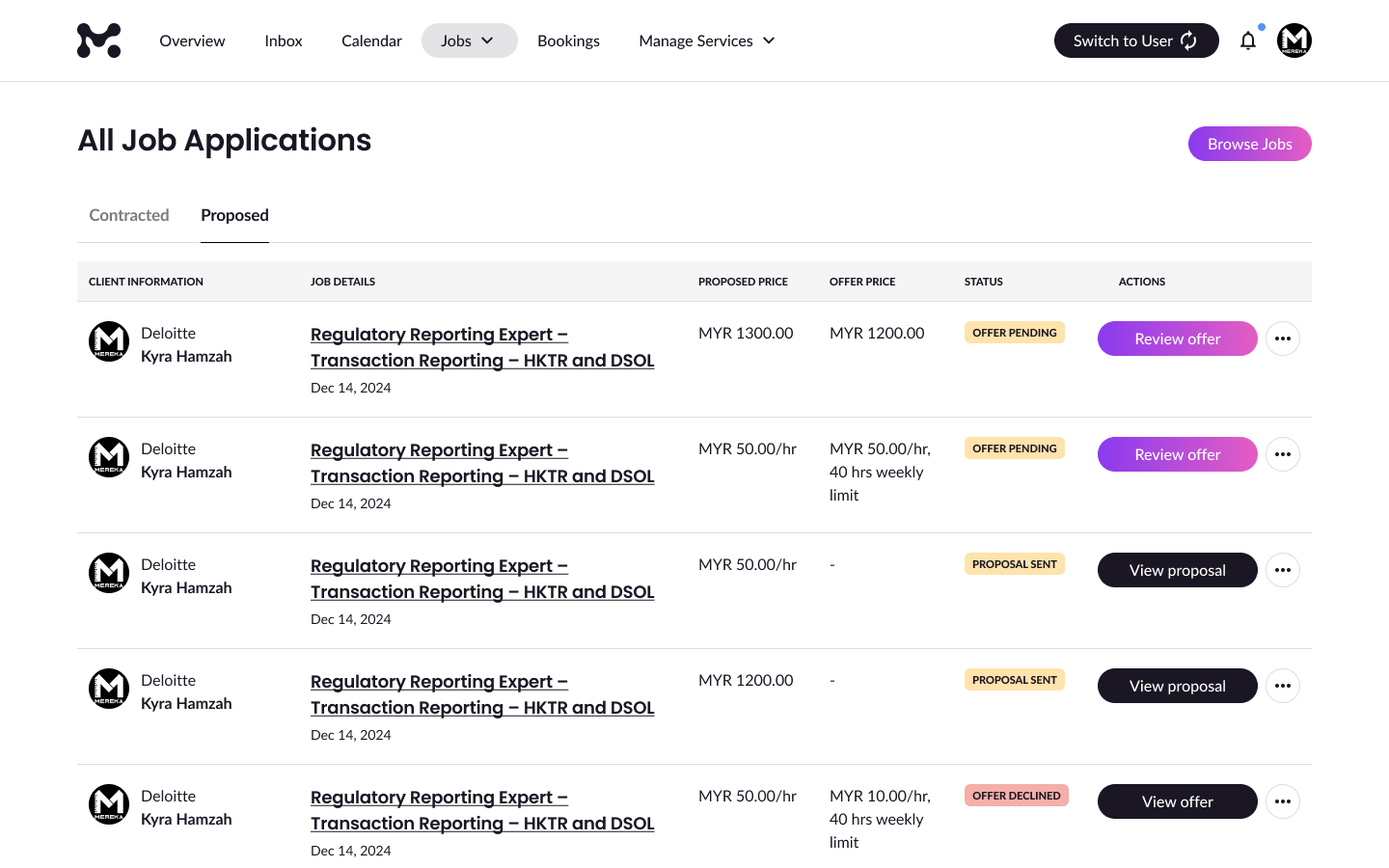
Step 1: Go to “Proposed” Tab
- Navigate to your Job Applications page.
- Click the “Proposed” tab to view jobs you’ve applied for.
- Find the job offer you want to respond to and click “Review offer.”
Step 2: Review Offer
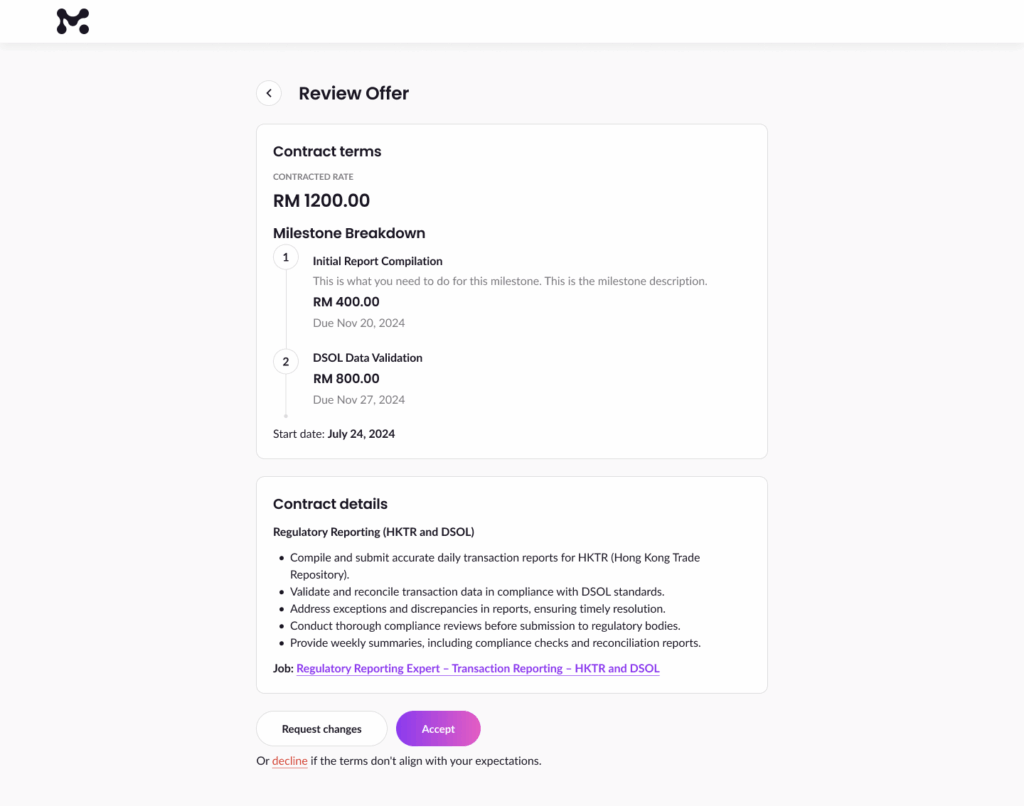
On the Review Offer page, you’ll see:
- Contract terms: The total payment and milestones or hourly rates.
- Milestone breakdown: Tasks, amounts, and due dates (for fixed-price contracts).
- Contract details: Scope of work and requirements.
If you are not satisfied with the offer, Click “decline” at the bottom.
Step 3: Add a Note (Optional)
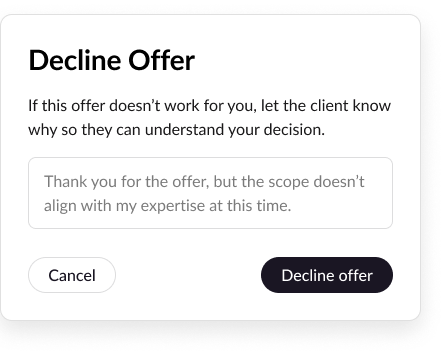
A pop-up will appear where you can leave a note explaining why you’re declining the offer, for example:
“Thank you for the offer, but the scope doesn’t align with my expertise at this time.”
This helps the client understand your decision professionally.
Step 4: Click “Decline Offer”
Click “Decline offer” to finalise your decision.
Tips
- If you need adjustments, you can always request changes before declining an offer. Learn how to request changes here.