Your Job Posts page lets you manage everything from job listings to contracts with hired experts. It’s divided into two tabs:
- All Job Posts: See and manage all jobs you’ve created
- All Hires: Track ongoing contracts with experts you’ve hired (visible only if you’ve made at least one hire)
📋 All Job Posts Tab
This tab shows every job post you’ve created—whether it’s a draft, open, or closed.
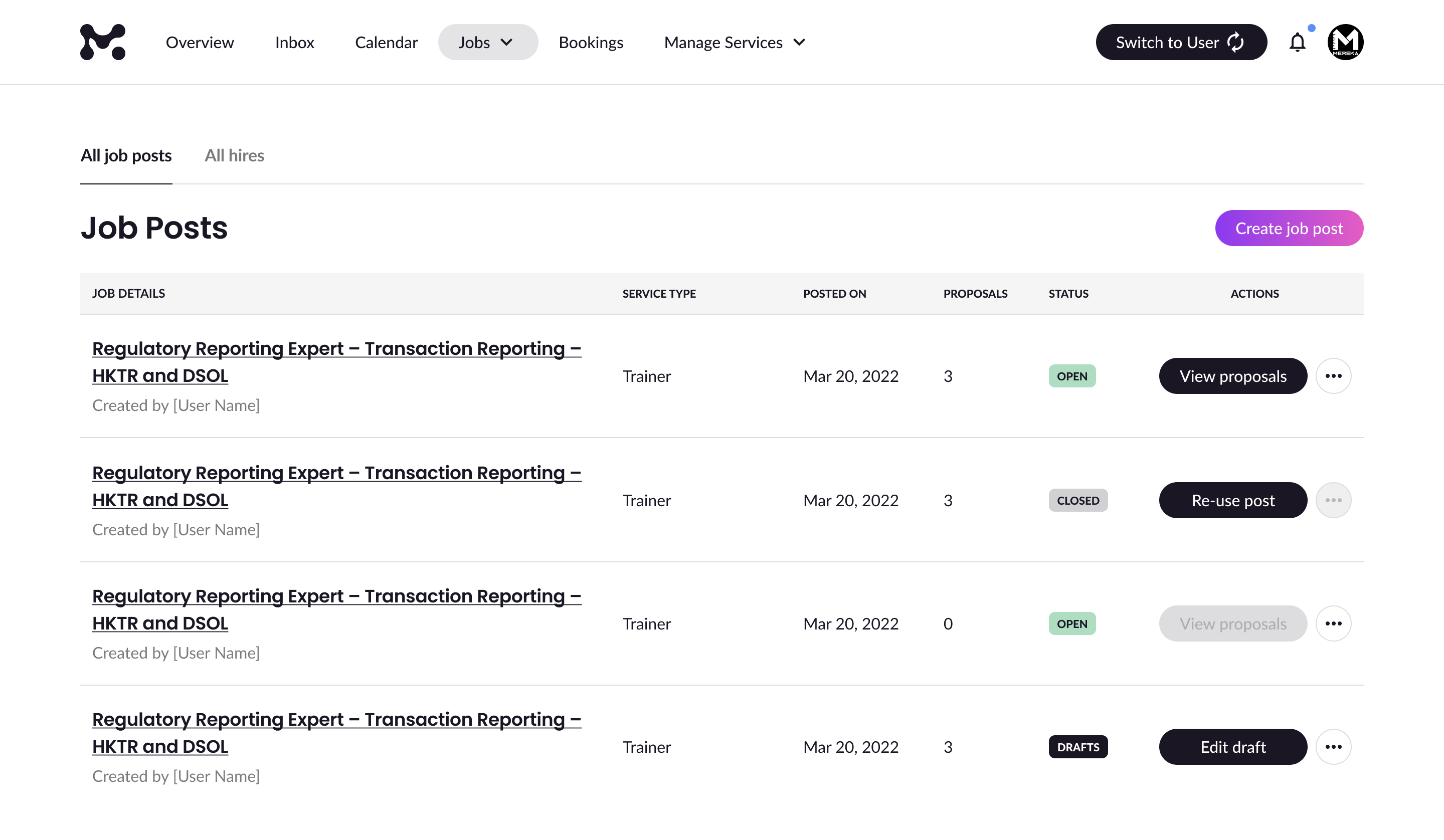
What You’ll See
Each listing includes:
- Job Title
- Job Poster Name
- Service Type
- Job Posted Date
- Total Proposals Received
- Status
Job Post Statuses
| Status | What It Means | What You Can Do |
| Open | The job is active and accepting proposals | View proposals, Edit, Re-use post, Mark as closed |
| Closed | The job was manually closed or auto-closed within 30 days after its last updated date | Re-use post |
| Drafts | The job form was saved but not completed | Edit draft, Delete draft |
👥 All Hires Tab
This tab shows jobs where you’ve hired an expert and a contract has started.
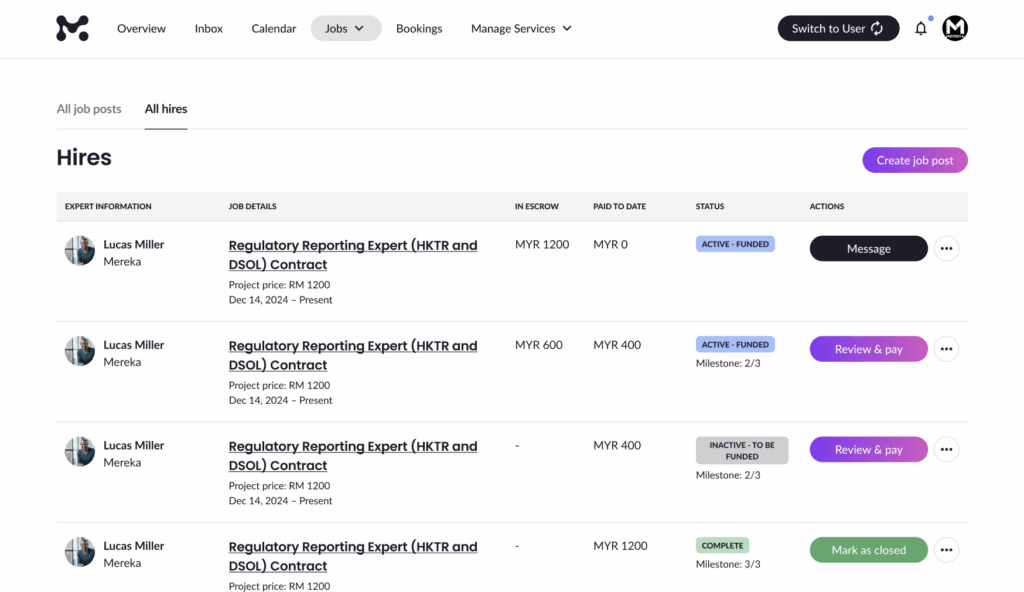
What You’ll See
Each contract includes:
Expert Information
- Profile Photo
- Expert Name
- Hub Name
Job Information
- Job Title
- Contract Type:
- Fixed Price
- Hourly Rate
Financial Overview
- In Escrow:
- Fixed Price: Total amount held in escrow
- Hourly: Total to be charged this week + hours logged
- Paid to Date:
- Fixed Price: Total paid across all milestones
- Hourly: Total paid across weeks + total hours worked
Contract Statuses
Fixed Price Jobs
| Status | What It Means | What You Can Do |
| Active – Funded | A milestone is funded and the expert can begin work | Message, View contract |
| Work Submitted | Expert submitted milestone work for review | Review work, Message, View contract |
| Inactive – To Be Funded | Expert submitted work, but the next milestone isn’t funded | Review & pay, Fund milestone, Message, View contract |
| Complete | All work is submitted and paid | Mark as closed, Message, View contract |
Hourly Rate Jobs
| Status | What It Means | What You Can Do |
| Active | Expert submitted hours, and payment was successfully charged | Review work, Message, View contract, Mark as closed |
| Paused – Payment Failure | Client’s payment method failed, work not paid yet | Message, View contract |
Completed Jobs
| Status | What It Means | What You Can Do |
| Closed (No Review) | Contract is marked as closed, but no review submitted | Leave a review, View contract, Message |
| Closed (With Review) | Contract is closed and review has been submitted | View transactions, View review, View contract, Message |