Whether you’re working on a fixed price or hourly job, submitting your work log is simple. Here’s how to do it based on your contract type.
🧱 For Fixed Price Contracts
When you’re ready to deliver work for a milestone, follow these steps:
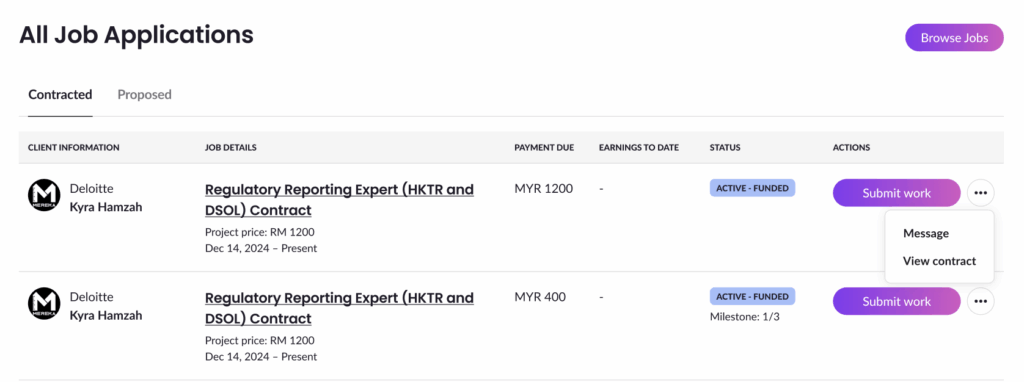
Step 1: Click “Submit Work”
You can do this from:
- The Contracted tab on your Job Application Listing page
- The milestone section on the Contract Details page
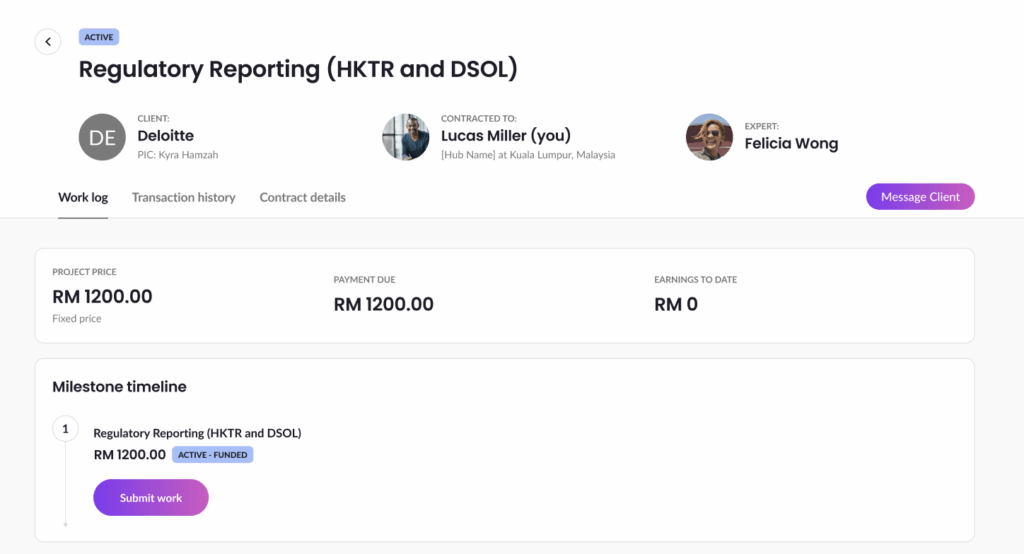
Step 2: Fill in Your Work Log
A pop-up or page will open where you can add your work details.
If the milestone hasn’t been funded yet, you’ll also see a note that says (upon funding).
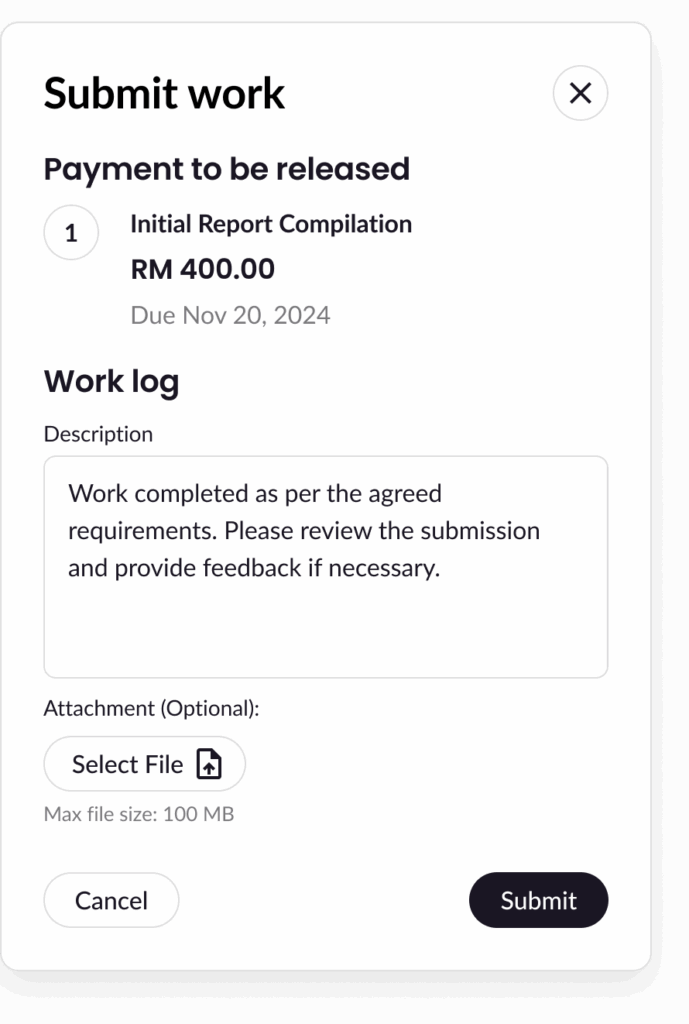
Step 3: Submit
Click Submit to send your work. You’ll return to the Contract Details page and see a confirmation popup.
⏱ For Hourly Contracts
You can log your working hours daily using the Work Log section on the Contract Details page.
Step 1: Click “Add Entry”
Choose the day and click Add Entry under the Work Log section.
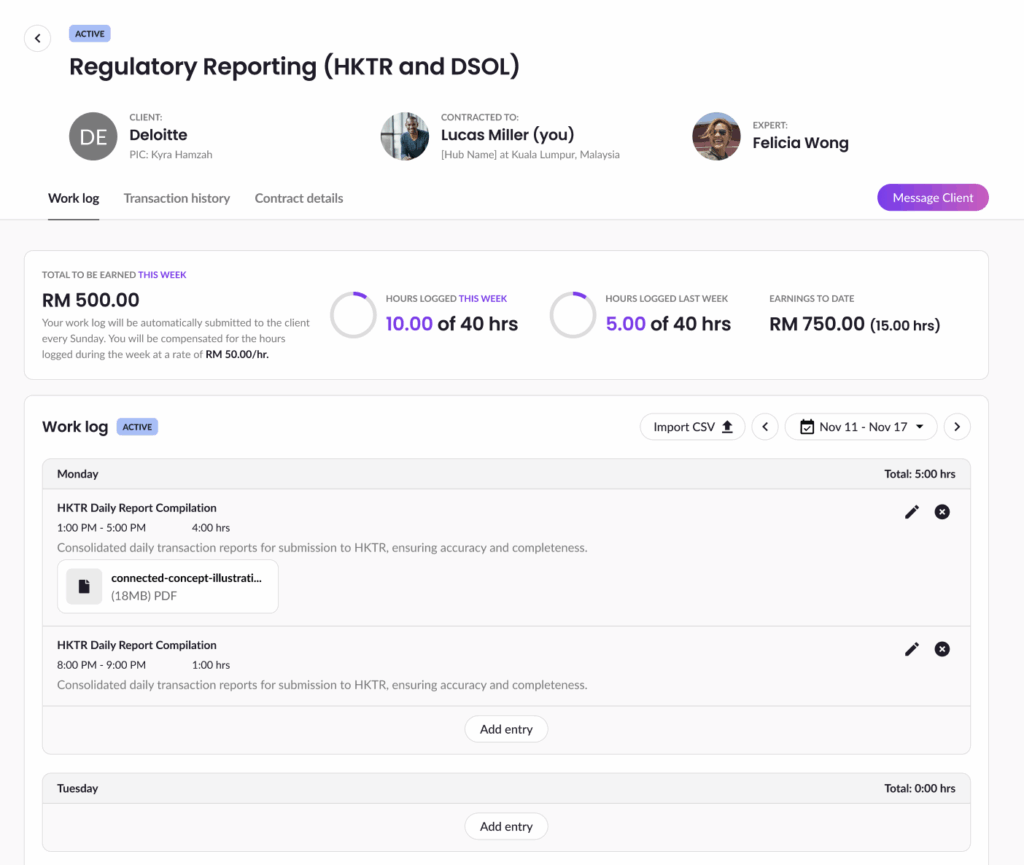
Step 2: Fill in Your Work Log
Fill in all required fields then click Save Entry to submit your work.
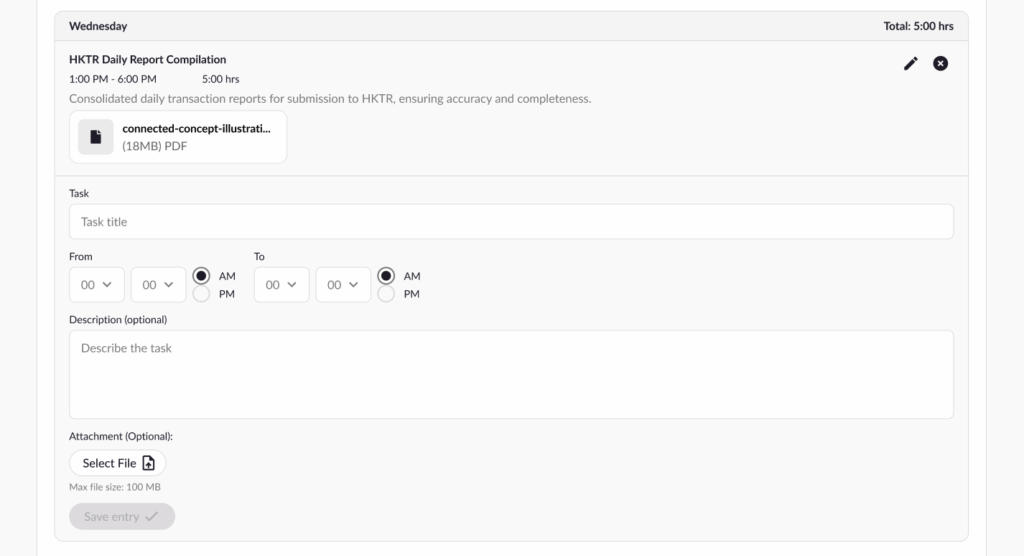
Step 3: View Your Work Log
Once saved, you’ll see the work log in a filled state.
Step 4: Edit or Delete Entries
You can edit or delete entries, but only for entries in the current week.
- Edit: Click the pencil icon to reopen the entry.
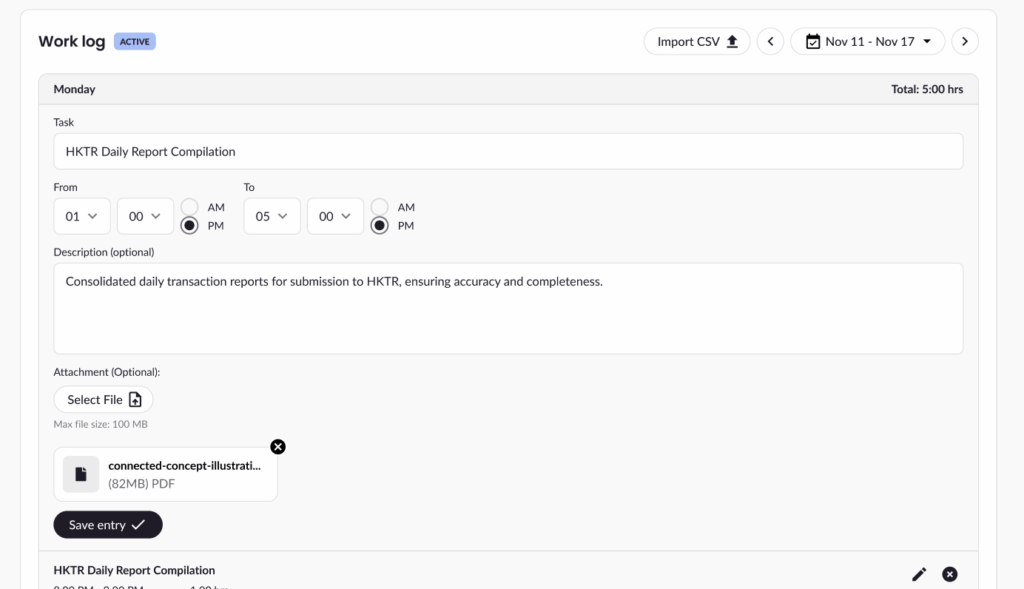
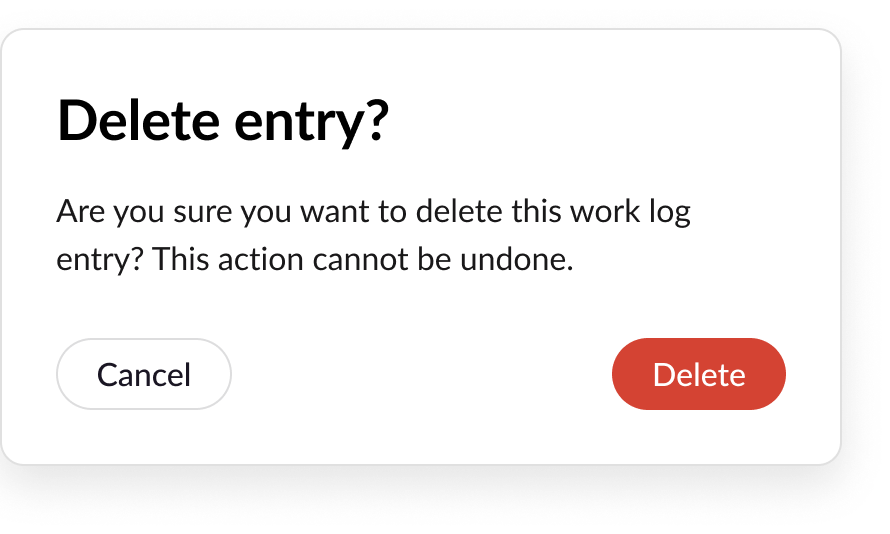
- Delete: Click the trash icon to open a confirmation popup.
And that’s it! Whether you’re delivering work in milestones or tracking hours daily, your work logs help keep everything organized and transparent. If you need help, our support team is always ready!