When you’re ready to hire an expert for an hourly contract, you’ll need to verify your billing method before your offer can be sent. Don’t worry—it only takes a few steps!
There are two possible paths depending on your account type:
If You’re a Subscriber (Expert on the Platform)
- On the Send Offer page, click Send Offer.
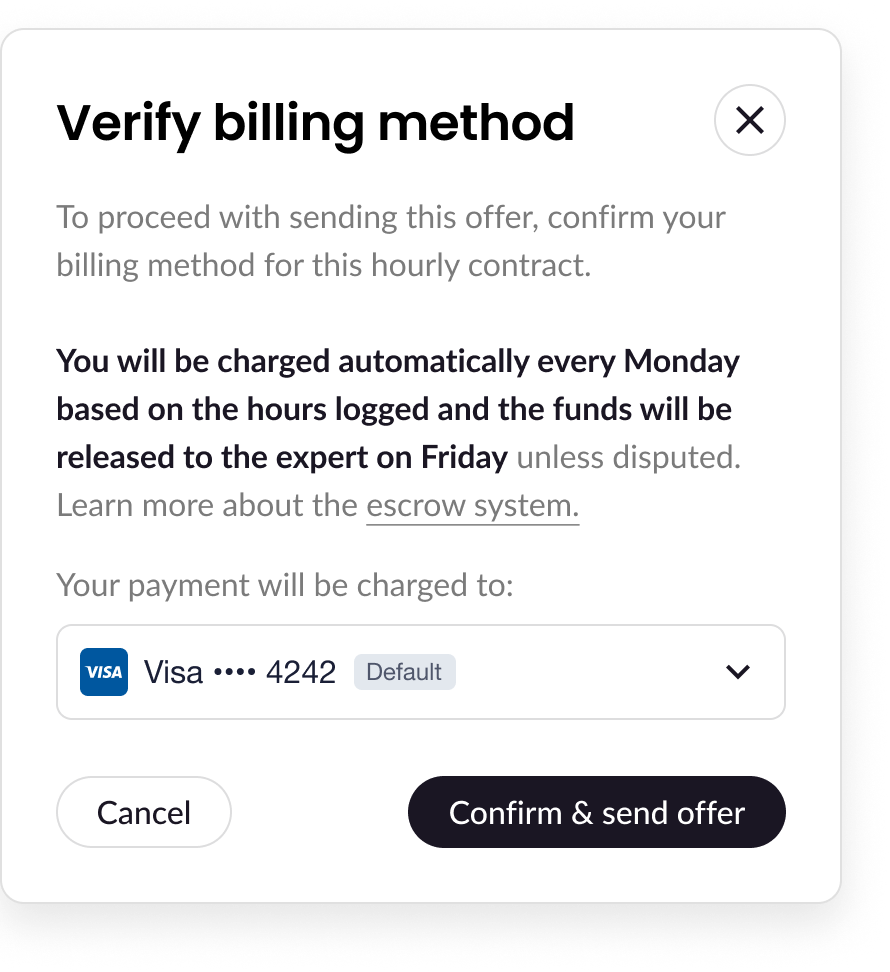
- A pop-up titled “Verify billing method” will appear.
- Click Confirm & Send Offer to continue.
✅ Your offer is sent, and your billing method is verified.
If You’re Not a Subscriber (Job Plan User)
- On the Send Offer page, click Send Offer.
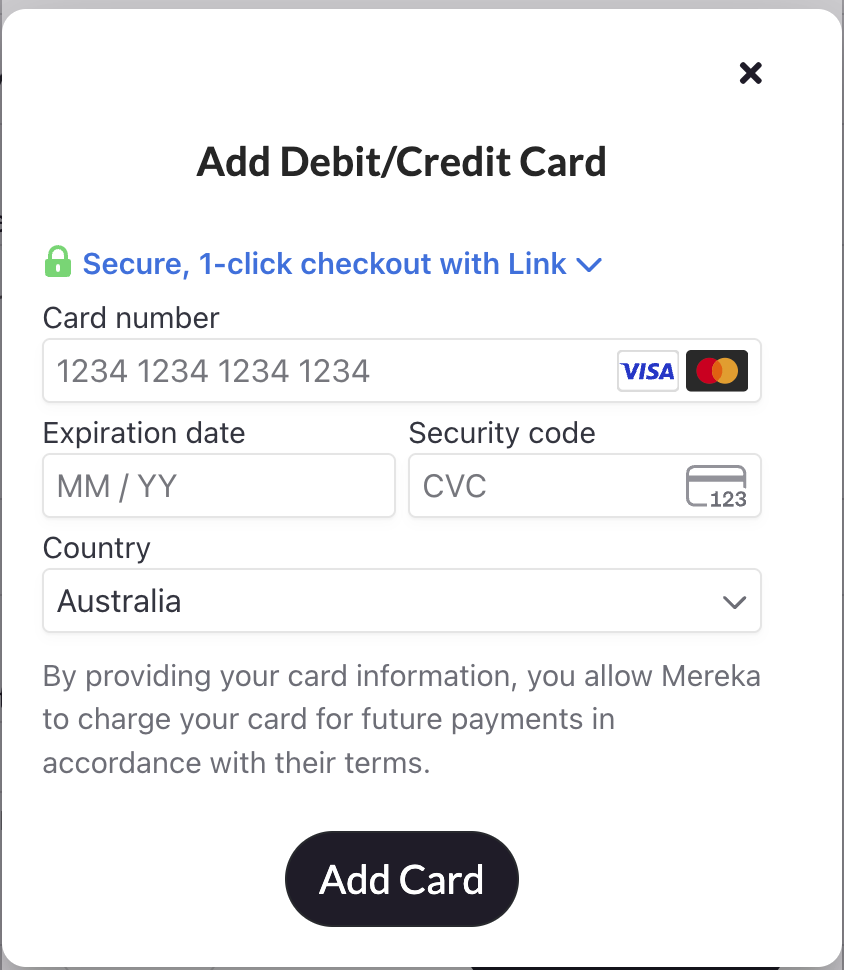
- You’ll see a pop up to add your card details.
- After your card details is added, click Confirm & Send Offer.
✅ Your offer is sent, and your billing method is verified.
💡 Note: You won’t be charged right away. This step just confirms that your billing method is valid and ready to go when hourly charges begin.
Need help along the way? Our support team is always here to guide you!