Your Job Application Listing page helps you stay on top of every job you’ve applied for or been contracted to work on. It’s divided into two tabs: Proposed and Contracted. Here’s how each tab works and what you can do from them.
📤 Proposed Tab
This tab shows all the jobs you’ve applied for but haven’t started yet. For each listing, you’ll see:
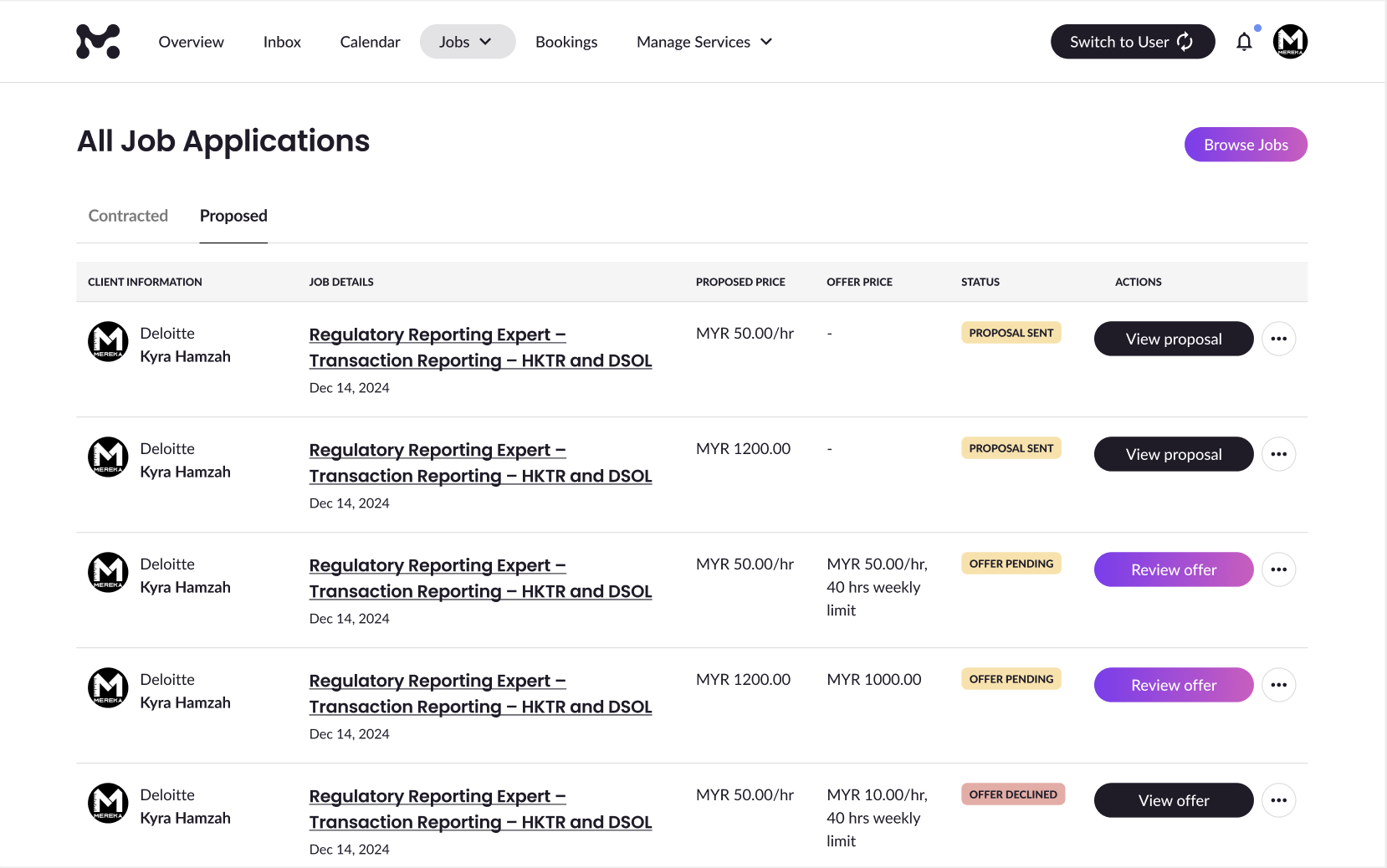
Client Information
- Profile Photo
- Business Name and Job Poster Name
Job Details
- Job Title
- Proposal Sent Date
- Proposed Price
- Offer Price
- Status
Proposal Statuses
| Status | What It Means | What You Can Do |
| Proposal Sent | You’ve applied, but no offer yet. | View Proposal, Message, View Profile, Withdraw |
| Offer Pending | The client sent an offer; you haven’t responded. | Review Offer, View Proposal, Message, View Profile |
| Offer Declined | You chose not to accept the offer. | View Offer, View Proposal, Message, View Profile |
| Cancelled | You withdrew your application. | View Proposal, Message, View Profile |
Message opens a direct chat with the client.
View Profile shows the client’s business or expert page (if available).
Withdraw cancels your application.
View Proposal or View Offer lets you review what was submitted or offered.
🤝 Contracted Tab
Once you accept an offer, the job moves to this tab. You’ll see all active and completed jobs you’ve been hired for.
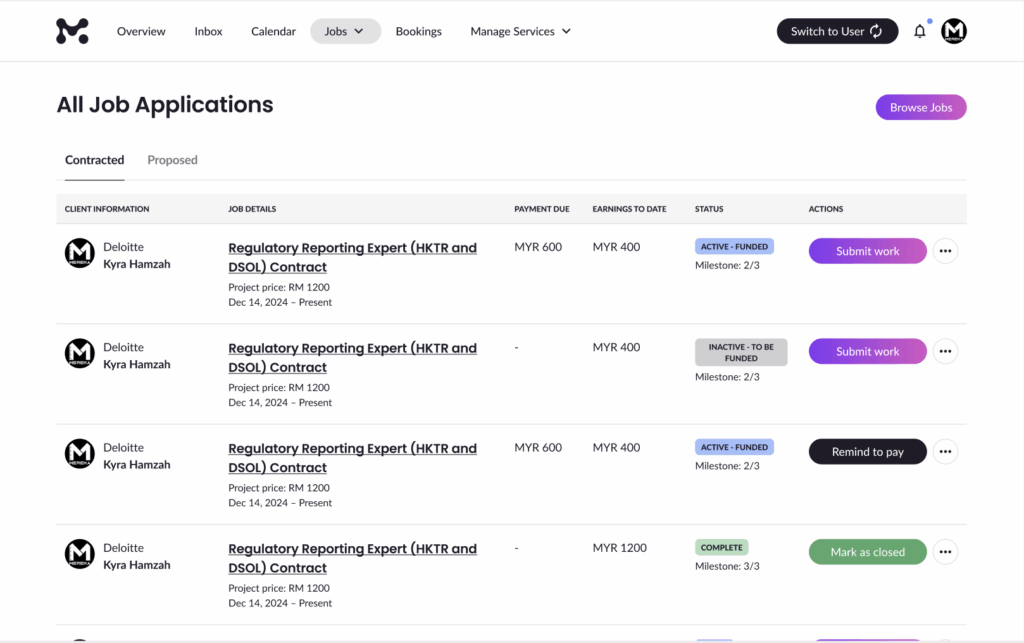
Client Information
Just like in the Proposed tab:
- Profile Photo
- Business Name and Job Poster Name
Job Details
For Fixed Price Jobs:
- Project Price
- Job Dates
For Hourly Rate Jobs:
- Hourly Rate & Weekly Limit
- Job Dates
Payment Info
- Payment Due:
- Fixed Price: Shows remaining funds and what’s in escrow.
- Hourly: Shows this week’s hours and amount to be charged.
- Earnings to Date:
- Fixed Price: Total amount received for completed milestones.
- Hourly: Total paid and hours logged.
Contract Statuses
Fixed Price Jobs
| Status | What It Means | What You Can Do |
| Active – Funded | Milestone is funded and ready | Submit Work, Message, View Contract |
| Inactive – To Be Funded | Waiting for the next milestone to be funded | Remind to Pay, Message, View Contract |
| Complete | All work submitted and paid | Mark as Closed, Message, View Contract |
You might also see Submit More Work or Request Activation depending on milestone flow.
Hourly Rate Jobs
| Status | What It Means | What You Can Do |
| Active | You can log hours | Fill Work Log, Message, View Contract |
| Paused – Payment Failure | Client’s payment method failed | Message, View Contract |
Completed Jobs
| Status | What It Means | What You Can Do |
| Closed (no review) | Contract has been marked as closed but no review submitted yet | Leave a Review or View Transactions |
| Closed (with review) | Contract has been marked as closed and review submitted | View Review, View Contract, or Message |
💬 Final Tip
Use the Message button anytime to communicate with your client—straight from either tab!
That’s everything you need to know about tracking your job applications. If you ever feel stuck, our support team is just a message away.